
Introduction
Choosing the best projector for rear projection film is one of the most important decisions in a glass display project. The film creates the projection surface, but the projector creates the image. If the projector is too dim, poorly placed, misaligned, or not suited to the environment, the final display may look weak even when the film is correct.
For commercial buyers, this matters because rear projection film displays often sit in high-value spaces. Retail storefronts, corporate lobbies, museums, hotels, trade show booths, healthcare facilities, car dealerships, restaurants, and showrooms all need clear, professional visuals. A display that looks dull or washed out can reduce the impact of the investment.
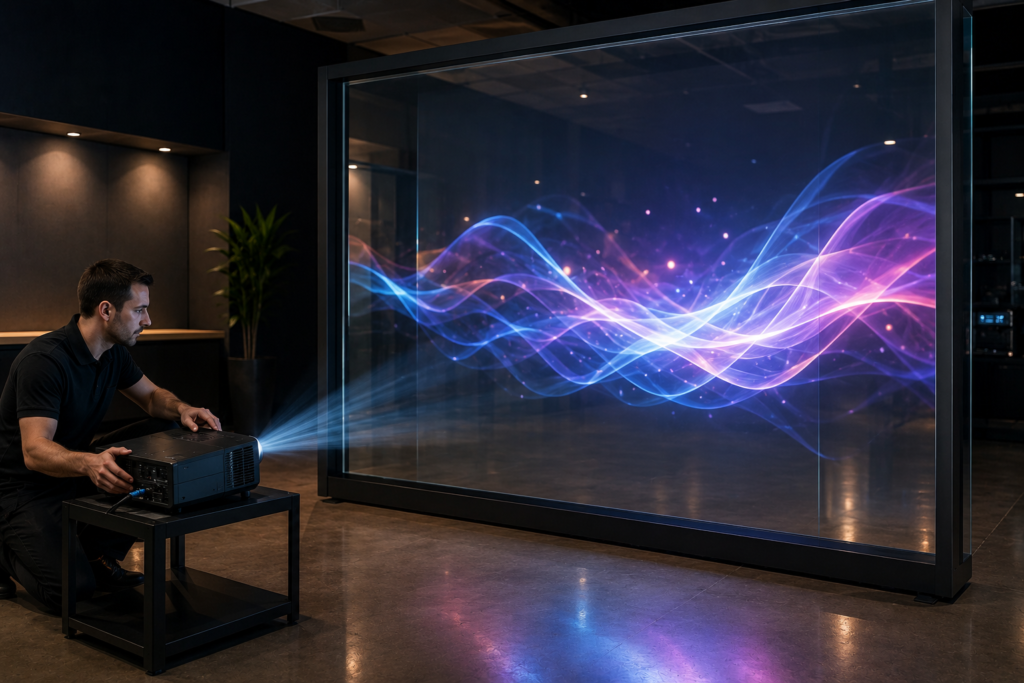
Rear projection film turns glass, acrylic, or Plexiglas into a digital display surface. A projector sits behind the glass and projects content onto the film. Viewers see the image from the front side. As a result, businesses can create a sleek digital display that feels built into the architecture.
However, the projector must match the film, image size, lighting, viewing distance, and business goal. A small indoor projector may work for a controlled exhibit, but it may not work for a bright storefront. Likewise, a large commercial projector may be unnecessary for a compact display in a dim hospitality space.
RearProjectionFilms.com helps businesses understand how rear projection film works in real commercial environments. Screen Solutions International supports these projects through SSIDisplays.com with rear projection films, projection film samples, anti-glare film, transparent displays, digital signage, LED video walls, high-bright displays, projector enclosures, interactive kiosks, and custom experiential display systems.
If you want your rear projection film display to look bright, sharp, and reliable, projector selection deserves serious attention.
Why Projector Selection Matters
Rear projection film does not generate light by itself. Instead, it displays the light and image coming from the projector. Because of that, the projector directly affects brightness, clarity, color, contrast, image size, and long-term performance.
A poor projector choice can create several problems:
- Dim visuals
- Washed-out content
- Uneven brightness
- Soft focus
- Weak contrast
- Visible alignment issues
- Image spill beyond the film area
- Overheating
- Fan noise
- Maintenance problems
- Poor performance in bright spaces
A strong projector choice helps the display look more professional. Additionally, it helps protect the investment in film, installation, content, and surrounding design work.
Start With the Display Environment
Before comparing projector models, start with the environment. The same projector can perform differently in different spaces.
Important environmental questions include:
- Will the display operate during the day?
- Does the space have direct sunlight?
- Are there overhead lights near the glass?
- Will the display run at night?
- How large is the projection area?
- How far can the projector sit from the glass?
- Is there room behind the display?
- Will viewers stand close or far away?
- Does the glass have tint or reflection?
- Will the system run for long hours every day?
A controlled museum gallery may not need the same brightness as a storefront window. A restaurant partition may need a quieter projector than a trade show booth. Meanwhile, a corporate lobby may need strong image quality, low noise, and hidden equipment.
Because the environment affects the final result, projector selection should happen after reviewing the installation space.
Understand Projector Brightness
Projector brightness is usually measured in lumens. In simple terms, more lumens means the projector can produce more light. However, brightness alone does not guarantee a better display.
Rear projection film brightness depends on several factors:
- Projector lumens
- Image size
- Ambient light
- Film type
- Content contrast
- Glass tint
- Throw distance
- Projector age
- Surface reflections
A brighter projector may help in bright environments, but it still needs good content, proper alignment, and the right film. For example, a high-lumen projector paired with low-contrast content may still look weak. On the other hand, a moderate projector in a dark space with strong content may look excellent.
Therefore, buyers should choose brightness based on the real environment, not just the highest number on a spec sheet.
Match Brightness to Image Size
Image size has a major impact on brightness. A projector spreads its light across the full image area. As the image gets larger, the same projector light spreads thinner.
For example, a projector may look bright on a small 40-inch display area. Yet, that same projector may look dim on a large glass wall. Because of this, larger rear projection film installations usually need brighter projectors.
Before selecting a projector, confirm:
- Final image width
- Final image height
- Total square footage
- Viewing distance
- Ambient light level
- Film type
- Desired brightness level
This helps avoid underpowered projection. It also helps prevent overspending on a projector that is stronger than the project needs.
Consider Throw Distance
Throw distance is the space between the projector and the projection surface. Rear projection film requires the projector to sit behind the glass, so the available depth behind the display becomes critical.
Different projectors use different throw ratios. Some need more distance to create a large image. Others can create a large image from a short distance.
Common projector categories include:
- Standard throw projectors
- Short throw projectors
- Ultra short throw projectors
- Laser projectors
- Commercial installation projectors
- Portable projectors for temporary setups
A standard throw projector may work well when there is plenty of space behind the glass. However, many commercial environments have limited depth. In those cases, a short throw or ultra short throw projector may make more sense.
Trade show booths, retail displays, tight lobbies, and temporary installations often need careful throw-distance planning.
Laser Projector vs. Lamp Projector
Commercial buyers often compare laser projectors and lamp projectors. Both can work with rear projection film, but they have different strengths.
Laser Projectors
Laser projectors often provide long operating life, consistent brightness, faster startup, and lower maintenance than many lamp-based systems. They can be useful for commercial installations that run daily or for long hours.
Laser projectors may be a good fit for:
- Corporate lobbies
- Retail storefronts
- Museums
- Hotels
- Healthcare facilities
- Showrooms
- Permanent installations
- High-use displays
Lamp Projectors
Lamp projectors can still work well, especially for temporary or budget-sensitive applications. However, they may require lamp replacements and more brightness monitoring over time.
Lamp projectors may fit:
- Short-term events
- Temporary displays
- Small installations
- Controlled-light rooms
- Budget-conscious projects
- Occasional-use displays
For long-term commercial display systems, many buyers prefer laser projectors because they reduce maintenance planning. Even so, the best choice depends on budget, usage, brightness needs, and project duration.
Resolution and Image Quality
Brightness is important, but image quality also matters. A rear projection film display may show product videos, brand visuals, wayfinding graphics, exhibit content, or interactive interfaces. If the projector resolution is too low, the image may look soft or pixelated.
Common projector resolutions include:
- HD
- Full HD
- WUXGA
- 4K
- Native 4K or enhanced 4K options
For large glass displays, higher resolution can help maintain clarity. For smaller displays or abstract visuals, Full HD may be enough. If the content includes text, product detail, or interface elements, resolution becomes more important.
Additionally, content resolution should match the projector and image shape. A 16:9 video may not fit every glass surface perfectly. Custom glass sizes may require custom content formatting.
Projector Placement and Hidden Hardware
One of the benefits of rear projection film is a clean customer-facing side. The projector sits behind the glass, which helps keep the front of the display free from visible hardware.
However, the hidden side still needs planning.
Projector placement should account for:
- Mounting location
- Throw distance
- Alignment
- Ventilation
- Power access
- Cable routing
- Service access
- Noise level
- Security
- Heat management
- Ceiling or floor placement
- Enclosure needs
A projector hidden in a cabinet may look clean, but it still needs airflow. A ceiling-mounted projector may save floor space, but it needs secure mounting and alignment. Floor placement may be easier to access, yet it may require protection from traffic or cleaning equipment.
Therefore, hidden hardware should never mean inaccessible hardware.
Noise and Heat Considerations
Projectors produce fan noise and heat. In some commercial spaces, this may not matter. In others, it matters a lot.
For example, a trade show booth can usually tolerate some equipment noise because the venue is already loud. A museum gallery, hotel lobby, restaurant, or executive briefing room may need a quieter setup. Healthcare spaces may also require a calm environment.
Heat can also affect long-term reliability. If the projector sits in a tight cabinet or enclosed space, ventilation becomes essential.
Before installation, ask:
- How loud is the projector during normal use?
- Will customers or guests hear it?
- Does the projector need an enclosure?
- Is there enough airflow?
- Will heat build up behind the glass?
- Can staff access filters or service panels?
These details help prevent future performance issues.
Projector Enclosures and Protection
Some rear projection film displays need projector protection. This may happen when the projector sits in a public area, dusty environment, outdoor-facing application, trade show booth, or high-traffic space.
A projector enclosure can help protect equipment from dust, tampering, impact, moisture, or environmental exposure. Screen Solutions International also supports projector enclosure solutions, which may be relevant when rear projection film is part of a larger commercial display project.
Projector protection may be useful for:
- Trade shows
- Retail stores
- Public venues
- Outdoor-facing displays
- Industrial spaces
- Museums
- Schools
- Transportation areas
- High-traffic lobbies
- Temporary event builds
The enclosure should still allow proper airflow, cable access, and maintenance.
Content Design and Projector Performance
Projector performance depends partly on content. A bright projector can still look weak if the content uses dark, low-contrast visuals. Meanwhile, a well-designed loop can make a moderate projector look stronger.
For rear projection film, content should usually include:
- High contrast
- Large visuals
- Short text
- Bright focal points
- Simple backgrounds
- Clean motion
- Minimal clutter
- Strong color separation
- Good brightness balance
Avoid content with thin fonts, dense paragraphs, subtle gray tones, or busy backgrounds. Those details may look fine on a laptop but fail on glass.
The best projector setup combines technical brightness with smart content design.
Projector Planning by Commercial Space
Different spaces need different projector strategies.
Retail Storefronts
Retail storefronts often need higher brightness because they face daylight, street reflections, and mall lighting. They may also need content designed for walking traffic.
Corporate Lobbies
Corporate lobbies usually need polished image quality and quiet operation. Projectors should be hidden cleanly while still remaining accessible for service.
Museums
Museums often have better light control, so the projector may not need extreme brightness. However, image quality, color, and quiet operation matter.
Trade Shows
Trade show booths need reliable setup, fast alignment, and enough brightness for harsh venue lighting. Projector protection and portability may also matter.
Car Dealerships
Dealerships often have large windows and bright showroom lighting. Therefore, stronger brightness and glare planning are important.
Restaurants and Hotels
Hospitality spaces need quiet operation and attractive visuals. Content may focus more on atmosphere than direct advertising.
Projector Selection Checklist
Use this quick checklist before choosing a projector for rear projection film.
| Projector Factor | What to Confirm |
|---|---|
| Brightness | Enough lumens for image size and lighting |
| Throw Distance | Fits available space behind the glass |
| Resolution | Matches display size and content detail |
| Lens Type | Supports desired image size and placement |
| Noise | Appropriate for the environment |
| Heat | Ventilation and airflow are planned |
| Mounting | Secure and accessible location |
| Maintenance | Filters, lamps, or laser system can be serviced |
| Content Format | Matches projector aspect ratio and glass shape |
| Operating Hours | Projector type supports expected use |
| Protection | Enclosure or security added if needed |
| Alignment | System can be adjusted after installation |
A projector that checks these boxes is more likely to support a successful installation.
Common Projector Mistakes to Avoid
Choosing Too Few Lumens
A projector that is too dim can make the entire display look underwhelming. Always match brightness to the environment.
Ignoring Throw Distance
If there is not enough space behind the glass, the projector may not create the correct image size.
Forgetting Ventilation
Projectors need airflow. Hidden projectors still need cooling.
Using Low-Resolution Projection for Detailed Content
If the display includes text, diagrams, or product details, resolution matters.
Skipping Real-World Testing
A projector may look strong in a dark room and weak in the final location. Test in real lighting when possible.
Designing Content After the Hardware Is Installed
Content and projector planning should happen together. This helps avoid format, brightness, and readability problems.
Future Trends in Rear Projection Projectors
Projector technology continues to improve, and that benefits rear projection film installations.
First, laser projectors will continue becoming more common because they offer long life and reduced maintenance. Next, short throw and ultra short throw projectors will help more businesses use rear projection film in tight spaces. Additionally, brighter compact projectors will support more flexible commercial installations.
Interactive rear projection film displays will also grow. As touch, sensors, RFID, NFC, cameras, and mobile triggers become more common, projectors will need to support responsive, high-quality visuals.
Finally, more buyers will use integrated display systems. Rear projection film, anti-glare film, projectors, digital signage, transparent OLED, LED video walls, and interactive kiosks will work together in complete commercial environments.
FAQ
What projector is best for rear projection film?
The best projector depends on the image size, lighting, throw distance, film type, and operating schedule. Commercial installations often need enough brightness, proper throw ratio, good resolution, quiet operation, and reliable maintenance access.
Does rear projection film need a special projector?
Not always. Rear projection film can work with many projectors, but the projector must match the environment and display size. Bright spaces and large displays may need stronger commercial projectors.
How bright should a projector be for rear projection film?
Brightness depends on the space. Larger images and brighter environments need more lumens. Controlled-light rooms may need less brightness than storefront windows or showrooms.
Can I use an ultra short throw projector with rear projection film?
Yes, in some projects. Ultra short throw projectors can help when space behind the glass is limited. However, the projector, film, image size, and mounting position must be tested together.
Is a laser projector better for rear projection film?
Laser projectors are often a strong choice for commercial installations because they can offer long operating life, consistent brightness, and lower maintenance than many lamp projectors.
Why Choose Screen Solutions International
Screen Solutions International helps businesses plan rear projection film systems that work in real environments. SSI offers rear projection films, projection film samples, anti-glare film, transparent displays, digital signage, LED video walls, high-bright displays, interactive kiosks, projector enclosures, and custom experiential display solutions.
This matters because projector selection is only one part of the system. The best result comes from matching the right projector with the right film, content, lighting plan, surface, and installation strategy.
For rear projection education and ideas, visit RearProjectionFilms.com. To review product options and project support, visit SSIDisplays.com. For project help, call 888-631-5880.
Final Takeaway
The best projector for rear projection film depends on the environment, image size, throw distance, brightness needs, content, and operating schedule. A strong projector choice helps glass displays look brighter, sharper, and more professional.
In summary, businesses should not treat the projector as an afterthought. Projector brightness, placement, resolution, ventilation, noise, and maintenance access all affect the final display. By planning the projector and rear projection film together, commercial buyers can create more reliable and more effective glass display experiences.
To start planning a rear projection film project, visit RearProjectionFilms.com or call Screen Solutions International at 888-631-5880.
Sources
Internal SSI Links
- SSIDisplays.com
- Rear Projection Films
- Projection Film Options
- Rear Projection Film Samples
- Definition Rear Projection Film
- Definition Pro Rear Projection Film
- Accent Rear Projection Film
- Intrigue Rear Projection Film
- Anti-Glare Film