A Practical Guide to Rear Projection Film for Colorado Stores, Exhibits & Attractions
An essential guide for Colorado retailers, museums and AV teams: how to select, size and install rear projection film for storefront windows and displays—plus planning for brightness, power and permitting.
Choosing the Right Rear Projection Film for Your Colorado Display
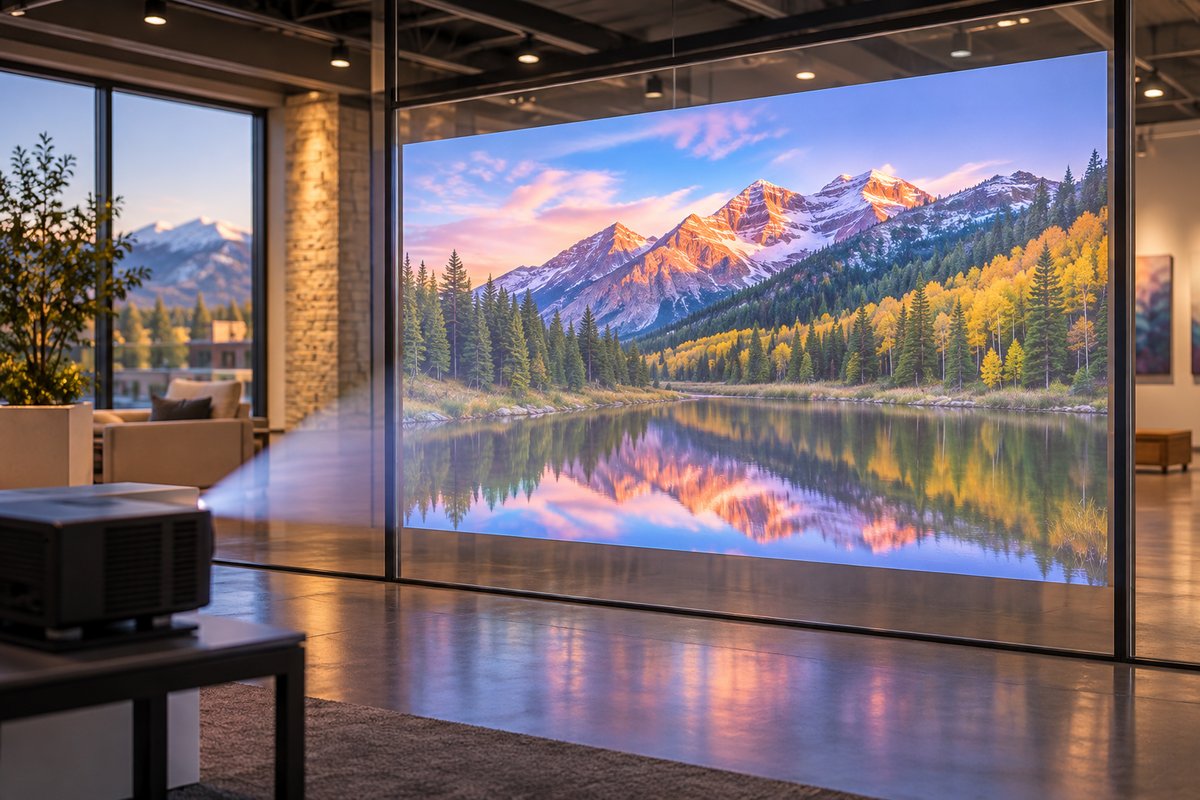
Glass and acrylic surfaces across Colorado’s retail districts, museums, and convention centers offer untapped potential for dynamic signage. Choosing the right rear projection film means understanding your site’s specific conditions—from window type to visitor flow and ambient lighting. Colorado’s broad range of settings—from street-level storefronts in Denver to bright, glass-walled lobbies in Boulder—means your film choice impacts performance day and night.
Accent film is a great starting point for many Colorado projects. This frosted white film provides a bright, versatile surface that works well for general use in storefront window projection film applications. If your location faces high daylight, such as atriums or spaces with large street-facing windows, Definition film or Definition Pro’s darker tint will deliver maximum clarity by improving contrast. For floating, hologram-like presentations—ideal for museums and event installations—Intrigue film offers a translucent effect. Whenever you need a two-sided experience, such as center mall kiosks or partition walls visible from both sides, DualView projection film makes it easy and supports rear projection display viewing from either direction.
Because every location in Colorado is different, sample kits are a smart first step. Before you commit, test a selection of projection film samples in your actual lighting and setting. This helps you compare products directly on your own glass while checking how sunlight, indoor lights and viewer positions affect your display.
Sizing Rear Projection Film: From Storefronts to Exhibit Glass
Getting your projection film cut to the exact size of your window or partition is crucial for a clean, professional installation. Rear projection films from Rear Projection Films are available in custom sizes and shapes, perfect for Colorado’s varied glass dimensions—from compact museum exhibit windows to the sweeping storefront glass commonly used in Cherry Creek or Colorado Springs shopping areas.
Start by measuring each glass or acrylic panel you plan to use, noting any edges that fall behind frames, mullions or architectural features. Oversizing isn’t recommended; instead, specify the film size to leave a slim margin inside the visible area for the cleanest application. Keep in mind that installation on acrylic (rather than glass) may require gentler preparation to avoid scratches, so test your process using a sample.
For extra-large storefront windows, consider segmenting the film—installing it as two or more matching panels can make shipping, handling and installation simpler, and if your location is at high altitude, be mindful of static and dust by cleaning glass immediately before application. For complex shapes, contact Rear Projection Films for technical guidance and help with template patterns.
Matching Projector Brightness to Colorado Daylight
Colorado’s climate is famous for bright sunlight—including high-altitude locations in Denver, Boulder and Fort Collins that get more intense natural light than many other states. This makes projector brightness a key part of any rear projection film project. The stronger the ambient light, the more brightness your projector needs to cut through glare and deliver a visible image. Selecting the right projection film helps, too—use Definition film for especially sunlit locations, while Accent film offers strong all-around results in interior or shaded spaces.
To get the best image, position your projector as close as possible behind the glass without causing hot spots or uneven lighting. For challenging spaces—like a street-facing window exposed to direct sun at midday—evaluate performance by running live tests through the sample films in both morning and afternoon. It’s not just about the image at dusk or after dark: your display needs to be legible all day.
Consulting up-to-date weather data from the National Weather Service Denver / Boulder Forecast Office can help you plan around peak sunlight hours and seasonal changes. By matching projection film and projector placement to the local daylight realities, you help ensure maximum impact at all times of year.
Planning Power and Connectivity for Projection Displays
Power access often shapes what’s possible for window projection in Colorado’s busy urban districts and attractions. Many retail historic districts and museums have limited available outlets near windows, and trade show venues like those in Denver or Colorado Springs may restrict where electrical cords can be run. Secure a reliable source—checking capacity and outlet location—before committing to a display layout.
For long-term installations, work with your facility manager to map the power circuit your projector will use. Monitor the load to prevent tripped breakers—especially if you’re adding a projector to an existing circuit that’s already serving lighting or digital signage. For temporary or mobile displays, such as convention exhibitors or pop-up retail, consider compact projectors that require less power and be ready with approved cord covers to keep public areas safe.
If you operate in Denver metro or Front Range, the Xcel Energy Front Range portal offers resources for managing electric accounts and checking local grid status—a valuable step when planning installations that run all day. Always coordinate with your venue before installing any new equipment so you meet local safety guidelines.
Film Mounting: Tips for a Clean, Effective Application
Applying rear projection film correctly is the foundation of any effective display. The film is designed to be installed on the inside of the glass or acrylic—protecting it from outdoor weather and tampering, and giving your projection surface controlled lighting. Start by cleaning the surface thoroughly, removing decals, sticky residues, and dust immediately before installation to avoid trapped particles.
Follow the supplied installation instructions for your specific film. Use a proper squeegee and a mild, film-friendly application solution if recommended. Avoid strong solvents and rough materials, especially when working with acrylic windows that scratch more easily than glass. If you’re applying multiple panels (for large windows), align edges as closely as possible for a seamless look.
When working at busy Colorado locations, like mall storefronts or glass-walled lobbies, consider installing your film in the early morning or evening when foot traffic is lighter. This helps avoid accidental bumps or dust settling on the film during the process. If you need technical support, Rear Projection Films provides guidance for film selection and mounting best practices.
Understanding Local Sign and Window-Display Permit Processes
Colorado’s major cities and towns—such as Denver, Boulder, Colorado Springs, and Fort Collins—commonly regulate signage, lighting, and window displays on commercial properties. Permitting requirements can vary widely based on the size of the display, its illumination, and its final appearance from public streets. Some retail corridors and museums in Denver, for example, have strict limits on both permanent and temporary window signs, including projection-based displays.
It’s important to check with your project’s local building, zoning, or sign office before installing projection film on windows or glass walls. In Denver, consult the city’s Signs permit resource to review relevant rules on lighting and projection. Additionally, event venues such as convention centers may set their own display and electrical guidelines for exhibitor booths.
It’s your responsibility to meet local requirements for size, brightness, and content, so coordinate with your landlord or facilities management team, particularly if the installation may be considered a permanent alteration. Because these rules are subject to change, always confirm specifics for your location rather than relying on general advice.
Lighting, Glare and Glass Conditions in Colorado Settings
Colorado’s distinctive blend of sun-filled days and rapidly shifting weather patterns makes lighting conditions an essential planning factor for projection film displays. Large windows—common in busy retail streets, museum galleries, and corporate atriums—collect a lot of sunlight, yet the intensity can change suddenly with afternoon clouds or shifting seasons.
Frosted films like Rear Projection Accent Film minimize unwanted reflections and scatter, making them versatile for most indoor glass partitions. Dark gray products like Definition are specifically engineered for challenging conditions with high reflected glare or sunlight, reducing image washout. Remember that standard anti-glare films are designed for reflection reduction on screens or protective glass, not as projection surfaces—rear projection film products should be tested in-situ to confirm performance.
When planning installations in spaces with a lot of ambient light, combine the right projection film with good quality blinds or shades wherever possible to control unwanted brightness. Use local daylight forecasts from resources such as the National Weather Service Denver / Boulder Forecast Office to schedule both installation and testing, ensuring you get a clear picture of real operating conditions across the day.
Comparing Rear Projection Film Types and Applications
With several rear projection film types to choose from, picking the right one for your Colorado display means matching film characteristics to your project’s needs. Standard rear projection film is a go-to solution for most applications, available in formats suitable for retail, museum, corporate and event use. Its flexibility makes it ideal for windows and partitions of nearly any size or shape.
Accent film delivers a frosted, lightly diffused surface, balancing bright projection for general-purpose signage. Definition film and Definition Pro offer higher contrast for sunlit or brightly-lit spaces. For exhibitions and museum installations seeking wow-factor or floating image illusions, Intrigue film is a top choice. If you need dual-sided viewing—for example, on a glass partition visible from both sides at a trade show or in a store—dual-purpose DualView projection film lets displays be seen from both directions, even with short-throw or off-axis projectors.
Once you’ve narrowed down options, always test with a projection film sample kit on your glass, under local conditions. This lets you evaluate brightness, viewing angles and clarity before ordering your custom-cut film.
FAQ: Colorado Rear Projection Film Projects
How do I know which projection film will look best in my store or exhibit?
Order a projection film sample kit and test each film on your own glass, at different times of day, to compare image quality and brightness in Colorado’s unique sunlight and ambient lighting.
Do I need a permit for a window or sign projection film?
Permit requirements vary by city and location in Colorado. Always check with your local sign, building, or event office—such as the City and County of Denver sign permits office—before installing any projection film on public-facing glass.
What should I do if the space has limited power outlets near the window?
Plan your projector location around available power sources, and check with your facility or use the Xcel Energy Front Range website for local guidance on electrical access. For large or public displays, review your venue’s safety and cord management rules.
Ready to transform your Colorado storefront, gallery or event with rear projection film? Request a projection film quote from Rear Projection Films (a division of Screen Solutions International) for custom sizing, sample kits and technical guidance. For questions, call 888-631-5880 or email ssisales@ssidisplays.com.
- Xcel Energy Front Range – Manage or review electrical power needs for your project.
- Denver Sign Permit Resource – Guidance for sign and display permitting rules.
- NWS Denver / Boulder Forecast Office – Daylight and weather resource for planning display visibility and installations.